Category Archives: Max Tutorials
ADSR amplitude envelope
Image
Rhythmic filtered noise bursts
Image
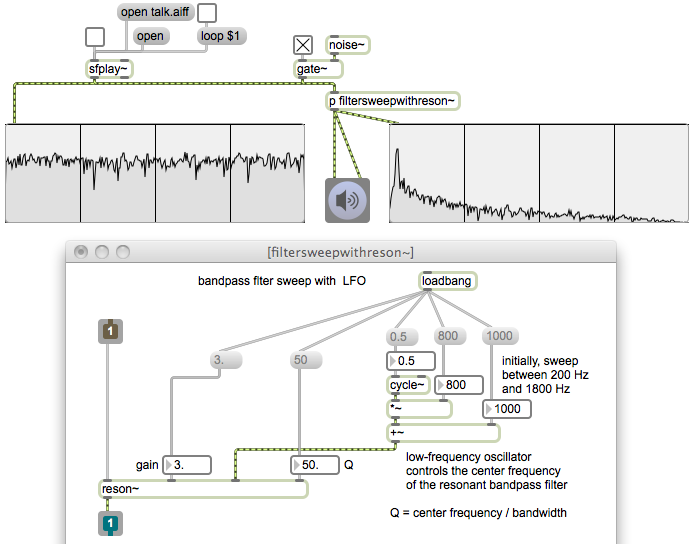
Resonant bandpass filter
Image
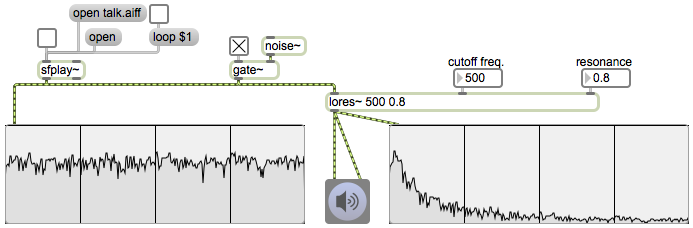
Resonant lowpass filter
Image
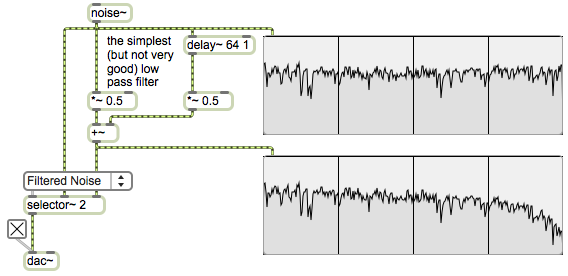
The simplest lowpass filter
Image
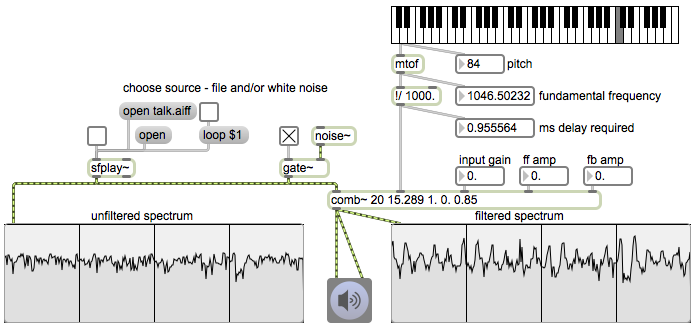
Comb filter
Image
Phase cancellation
Image
Using matrix~ for audio routing and mixing
Image
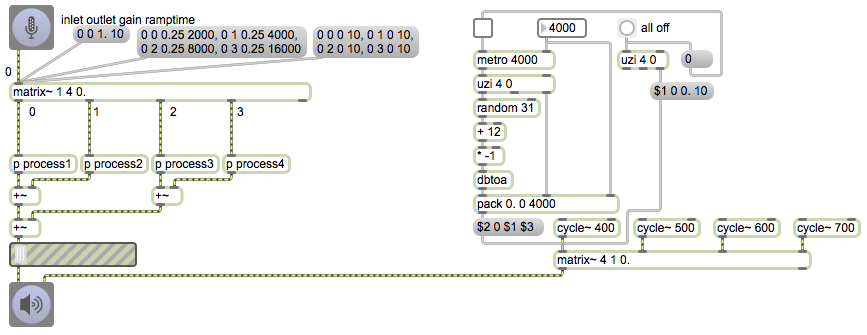
The matrix~ object is an audio mixer/router that can be configured with any number of inlets and outlets. The arguments specify the number of audio inlets, the number of audio outlets (there’s always one additional outlet on the right), and the initial gain for the connections of inlets to outlets. Each inlet is potentially connectable to each outlet with a unique gain setting. The gain of the connections is changed by sending messages in the left inlet.
The messages in the left inlet of matrix~ specify an inlet number (numbered starting from 0), an outlet number, a gain factor for scaling the amplitude of that connection, and a ramp time in milliseconds to arrive at that amplitude. You can send as many such messages as needed to establish all the desired connections.
The patch on the left shows how matrix~ can be used to route a signal to multiple destinations. The first message connects inlet 0 to outlet 0 with a gain factor of 1 and a ramp time of 10 milliseconds, which is to say that it quickly opens the first outlet. The next message sets all four outlets to an amplitude of 0.25, but assigns a different fade time to each outlet, which shows that matrix~ can be used as a mixer as well as a simple router. The third message quickly turns off all four outlets (turns them all to 0 amplitude in 10 ms).
This method of sending a message for each possible connection may seem a bit cumbersome, but in fact it’s about the most efficient way to control a large matrix (a virtual patchbay) of possible connections. With some clever message management, you can control or automate a great many constantly-changing connections. The patch on the right automates a constantly-changing mix of four sound sources.
Every four seconds (or whatever time interval you choose) the metro bangs an uzi object which outputs four messages (numbers from 0 to 3 out its right outlet, and four bangs out its left outlet), which in turn trigger four messages to matrix~. Each bang from uzi chooses a random amplitude from -12 dB to -42 dB, packs it with a connection number and a transition time, and formats that as a connection message for matrix~.
Smooth audio switching to bypass an audio effect
Image
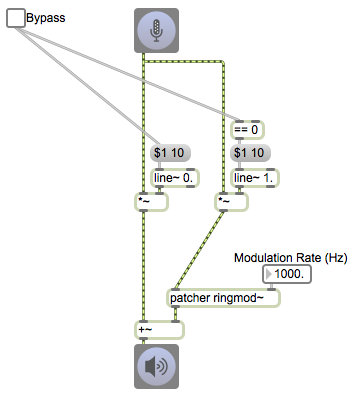
This example shows how, instead of switching instantaneously from one audio signal to another, we can do a quick crossfade between signals, thus avoiding clicks. The patch illustrates a common reason for switching signals — to bypass an audio effect.
Initially the incoming signal from adc~ goes through a ring modulation supatch. (Notice that the line~ object on the left is initialized to a 0 signal, and the one on the right that’s going to the ring modulator is initialized to 1.) If we want to bypass the ring modulation effect, we just click on the toggle, sending a 1 to the left line~ object (thus passing an unchanged signal through the *~ object to the +~ object); however, the 1 from the toggle also goes to the == 0 object (but is not equal to 0), thus sending a 0 to the other line~ object, turning it off. The toggle acts as a bypass switch by quickly crossfading from processed signal to unprocessed signal.